This is more of a question. I have scoured the internet trying to find out if there is a way to format an entire column as text. My "source" sheet has the entire column formatted as text but only the header row is text when I download/save it. The source file is just a "template" with only the header row having values. Rest are blank rows.
this is all I am doing in my code example (result is an arrayBuffer coming from the .NET webapi)
this.carrierRatesService.getCarrierRatesFileTemplate()
      .subscribe(result => {
        if (result.byteLength > 0) {
          const wb = xlsx.read(result, { type: 'buffer', cellStyles: true });
          const fileName = 'CarrierRatesTemplate.xlsx';
          xlsx.writeFile(wb, fileName)
        }})
This is the source file (7th row showing as Text datatype)
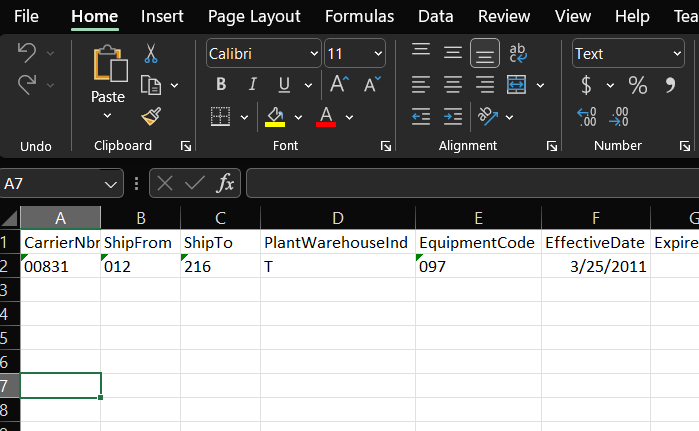
This is the result of my download (7th row as General datatype)

Is there a way to set an entire column manually? It is causing leading 0's to be cut off.

This is more of a question. I have scoured the internet trying to find out if there is a way to format an entire column as text. My "source" sheet has the entire column formatted as text but only the header row is text when I download/save it. The source file is just a "template" with only the header row having values. Rest are blank rows.
this is all I am doing in my code example (result is an arrayBuffer coming from the .NET webapi)
This is the source file (7th row showing as Text datatype)

This is the result of my download (7th row as General datatype)

Is there a way to set an entire column manually? It is causing leading 0's to be cut off.